




In Short
- WhatsApp has introduced Strict Account Settings, a new optional “lockdown-style” security feature.
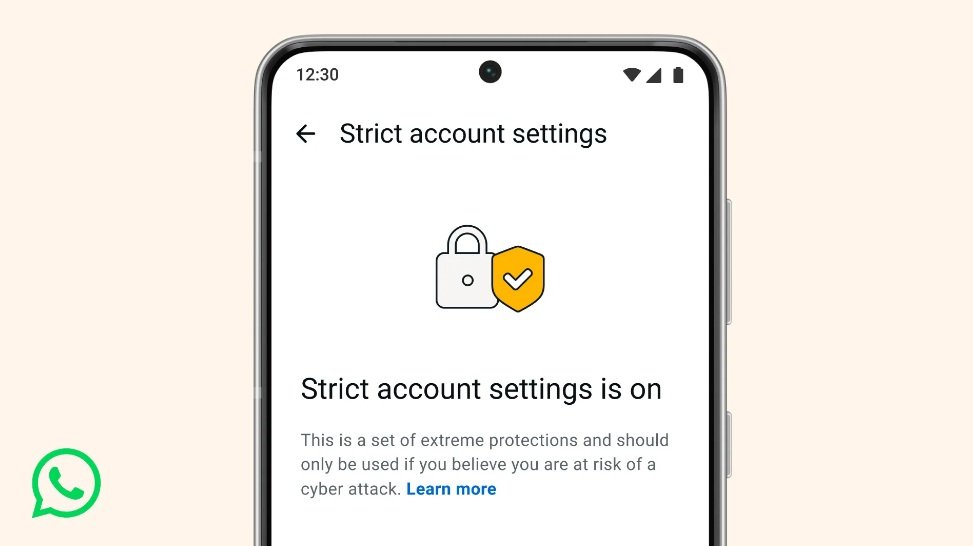
- It locks your account to the most restrictive privacy and security options with one toggle.
- Designed mainly for high-risk users like journalists, activists, and public figures facing sophisticated cyber attacks or spyware.
- Key changes include blocking attachments/media from non-contacts, silencing unknown calls, disabling link previews, and more.
- Rolling out gradually over the coming weeks – check Settings > Privacy > Advanced to enable it.
WhatsApp has announced a powerful new privacy and security tool on January 27, 2026, called “Strict Account Settings”. This lockdown-style feature builds on WhatsApp’s default end-to-end encryption by applying extreme restrictions to reduce risks from advanced threats like spyware, phishing, or targeted hacks. It’s similar to Apple’s Lockdown Mode on iOS or Android’s Advanced Protection, trading some convenience for stronger safeguards.
The company emphasises that most users won’t need it; it’s aimed at the “few people” who might be targets of rare but highly sophisticated cyber attacks, such as journalists, public figures, or activists. For everyday users, standard protections remain sufficient.
What Does Strict Account Settings Do?
When enabled, it automatically locks several settings to their most restrictive levels and limits app behaviour. Here’s what changes (based on official announcements and reports):
- Blocks attachments and media: from people not in your contacts (prevents malicious files or spyware delivery).
- Silences calls: from unknown numbers or non-contacts.
- Disables link previews: (reduces risks from malicious URLs).
- Blocks high-volume messages from unknown accounts.
- Restricts visibility: Last seen, online status, profile photo, About section, and profile links are limited to contacts only.
- Limits group additions: Who can add you to groups is more restricted.
- Enables two-step verification by default (if not already on).
- Turns on security code change notifications (alerts you if a contact’s encryption code changes, which could indicate tampering).
These restrictions make your account far less visible and harder to exploit, shrinking the “attack surface” for threats.
How to Enable Strict Account Settings
The feature is optional and can only be toggled from your **primary device** (not WhatsApp Web). Here’s the step-by-step:
1. Open WhatsApp.
2. Go to “Settings”.
3. Tap “Privacy”.
4. Select “Advanced”.
5. Look for “Strict Account Settings” and toggle it on.
6. Confirm the changes (it may warn you about limitations).
It’s rolling out gradually, so it might not appear for everyone immediately — availability can depend on your region and app version. Update WhatsApp to the latest version if it’s missing.
Why Now? Context and Background
This comes amid ongoing concerns about spyware (e.g., Pegasus-style attacks that have targeted WhatsApp users in the past). Meta has faced lawsuits and criticism over privacy claims, but the company stresses this is an extra layer for high-risk scenarios. It’s not tied to any specific recent incident but aligns with broader industry trends toward “extreme protection” modes.
WhatsApp also mentioned backend improvements, like migrating parts of its code to Rust for better memory safety against exploits in media handling.
Should You Turn It On?
- “Yes”, if you’re in a high-risk profession (journalist, activist, politician) or believe you could be specifically targeted.
- “No”, for regular use, it makes the app less convenient (e.g., no media from strangers, silenced unknown calls, reduced visibility).
Most people can stick with WhatsApp’s existing tools: end-to-end encryption, two-step verification, privacy controls for profile/about/last seen, and blocking/reporting suspicious accounts.
So, that’s the full scoop on WhatsApp’s new Strict Account Settings. If you’re at risk of advanced attacks, it’s a quick way to lock things down. For questions or if it’s available in your app yet, drop a comment!