




The Minecraft Bedrock Edition gets some new features and content, as well as performance and bug fixes with the latest Minecraft Update 1.18.10. Mojang has released a new update 1.18.10 for the Minecraft Bedrock Edition. As for the highlights of the latest update, it includes:
- Globe Banner Pattern
- Iron Golems now show different degrees of cracking depending on their health
- Updated several more textures to match Java Edition
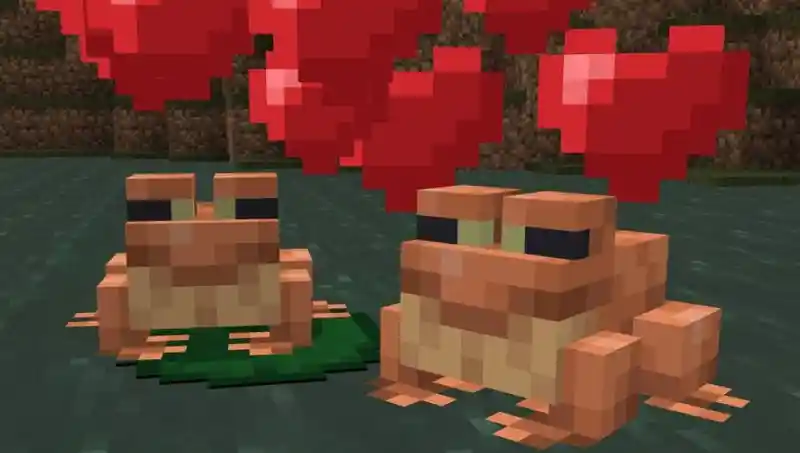
- New experimental features with Frogs and Tadpoles
- A huge amount of bug fixes and parity changes
- And more…
Minecraft Update 1.18.10 Patch Notes (Bedrock Edition)
Check out the full changelog below! Here you can read all the patch notes!
Changes:
- World settings can now be changed directly on Realms, just like local worlds
- If you’re playing in South Korea, we added gameplay timers and notices in compliance with gaming laws to help remind players to take occasional breaks from gameplay
Vanilla Parity:
- Added the Globe Banner Pattern on Bedrock
- Raid boss bar says now displays “Raid – Victory” and Fireworks are launched from the ground after a raid is defeated
- Villagers now make a “No” sound when attempting to make a trade that they are out of stock
- Players no longer gain a particle effect when obtaining Bad Omen from Pillager Captains
- Iron Golems now show different degrees of cracking depending on their health. Iron Ingots can be used on damaged Iron Golems to repair them
- Removed the emerald icon above a Villager’s head when trading
- Iron Golems now only attack players that have very bad standing in a village after attacking a Villager
- Glow Lichen now has similar brightness as Java Edition
- Foxes now aim downwards when they pounce
- Updated trade tables for Butchers, Cartographers, Librarians, and Wandering Traders
- Biome decoration features in cave biomes now have similar frequency as Java Edition
- Adjusted the “otherside” music disc to give off a redstone signal of 14 to match Java Edition
- Adjusted the “Pigstep” music disc to give off a redstone signal of 13 to match Java Edition
- Updated textures for multiple blocks and items to remove bugs and achieve parity between Bedrock and Java Edition
- Lodestone Compass
- Oak Door, Dark Oak Door, Birch Door, Spruce Door, Acacia Door, and Jungle Door
- Oak Sign, Dark Oak Sign, Birch Sign, Spruce Sign, Acacia Sign, Jungle Sign, Warped Sign, and Crimson Sign
- Campfire and Soul Campfire
- Item Frame and Glow Item Frame
- Glow Berry Vines
- Comparator (On)
- Wither
- Additional texture updates
- Updated Glass Pane top to match the new texture on Java Edition
- Fixed the top texture of Dark Oak Logs
- Updated Stripped Dark Oak side texture to match the new texture on Java Edition
- Updated Dirt Path side texture
- Changed ‘door_oak’ texture filename back to ‘door_wood’
- Reversed Parrot head and wing bottom textures
- Moved Beetroot and Melon Seed textures 1 pixel row down to match Java Edition
- Removed unused pixels in Cocoa Beans stage 0 and stage 1 textures to match Java Edition
- Updated Smooth Stone texture in Armor Stand base
- Removed horizontal lines in Oak and Iron upper Door textures
- Removed hood in Witch, Evoker, and Vindicator textures to match Java Edition
- Changed alpha values of Red and Blue Stained Glass textures to match Java Edition (Vanilla Parity)
- Fixed the hammer icon’s color palette on the Anvil screen
- Updated Dark Oak Planks on the Cartography table textures
- Updated Spruce Planks on the Barrel bottom texture
- Updated Planks on the Lectern base texture
- Fixed highlight inconsistencies in Gold and Diamond Armor textures
- Removed wandering pixel in the Carrot stage 3 texture
- Centered the back texture of Axolotls
- Boat oars now have the same color as the Boat
Frogs and Tadpoles
- Frogs will spawn in Swamp biomes
- Frogs can croak, jump, swim, and walk on land
- Frogs can eat small Slimes, causing a Slime Ball to drop
- Frogs can be tempted and bred using Seagrass, but this is just a placeholder food for now
- Frogs lay eggs after mating
- Frog eggs that hatch spawn Tadpoles
- Tadpoles that grow up will turn into a Frog
- Tadpoles can swim in water
- Tadpoles “jump around” like fishes when on land, and eventually die
- Tadpoles grow into a different type of Frog based on the biome they are born in
- Tadpoles can be caught in a Bucket
Froglight
- Three new Froglight blocks have been added (Pearlescent, Verdant, and Ochre)
- The Froglight blocks emit light
- The blocks are obtained by luring a Frog close to a small Magma Cube. The Frog will eat the Magma Cube and a Froglight block will drop. Each Frog variant will cause a different Froglight block to drop
Sculk
- Sculk block features are now accessible by enabling this toggle
Fixes:
Performance / Stability
- Fixed an issue that could cause entities in a chunk to not save when exiting a world
- The game now loads certain seeds and worlds around Mesa biomes without crashing
- Fixed a crash that could occur when trading Maps with Cartographer Villagers
- Fixed a crash that could occur when shift-clicking Armor in the Crafting Table while using Pocket UI
- Fixed issue where breaking blocks, opening chests, and entering portals would be delayed/not work when there are lots of mobs nearby
- Optimized the placement of geode features in the world
- Reduced the amount of network packets sent with the subchunk request system and packet optimizations
You can find the full changelogs of the latest patch Minecraft update 1.18.10 patch notes here.